
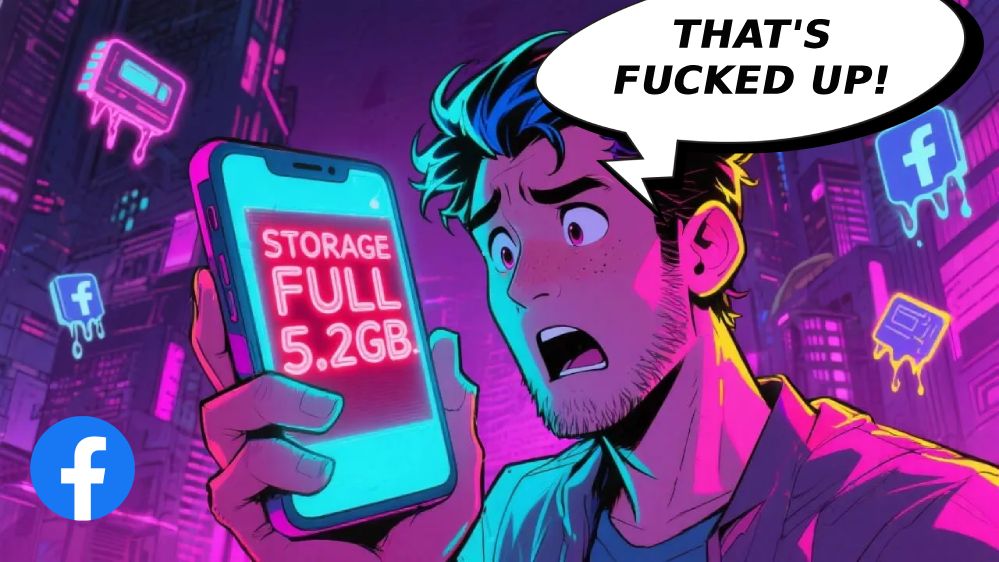

You just checked your phone storage.
5.2 GIGABYTES!!!
Facebook is sitting there like some bloated monster eating half your phone and you’re staring at the screen thinking what the ACTUAL fuck is happening right now 🙁
And I’m not gonna lie to you – I’ve seen this garbage a thousand times.
People come to me like “my phone says I’m out of space” and I check and it’s ALWAYS Facebook. Always. Sitting there taking up more room than your entire photo library, all your apps combined, probably more storage than your operating system at this point.
The audacity!
So yeah, you’re pissed. You should be. Because Facebook doesn’t give a single flying fuck about your storage situation, deadass. They designed this app to cache literally EVERYTHING – every video that auto-played while you scrolled at 3am, every photo from Karen’s beach vacation, every dumbass article your uncle shared about conspiracy theories.
It all just piles up like digital trash and before you know it your phone can’t even update because there’s NO SPACE LEFT.
The Facebook Storage Nightmare – Here’s What’s Actually Happening
Alright so first things first…
Facebook caches webpages. Videos. Images. A metric TON of random files every single time you open the app. That cat video you watched for 5 seconds? CACHED. Your cousin’s baby pictures you scrolled past? CACHED. That news article someone posted that you didn’t even click on but it loaded anyway? The ENTIRE webpage got cached on your device 😉
No cap!!!
But wait, there’s more (and it gets worse, I’m not playing). The app also stores what they call “data” – your settings, login info, preferences, and God knows what other bullshit. And this bloated mess just keeps GROWING. Week after week, month after month, until your previously fast phone turns into a laggy piece of garbage that takes 10 seconds to open the camera.
You try to take a photo and…
Storage Full
Can’t take photo
Thanks Facebook! Really appreciate you hoarding 5GB of cached garbage from posts I saw three months ago that I don’t even remember!
Cache Files Multiply Like Rabbits
Cache is supposed to make apps run FASTER by storing temporary stuff locally, right? In theory that sounds great. But Facebook’s cache doesn’t know when to fucking quit.
It just grows and grows and GROWS.
And Facebook? They don’t care. Why would they? It’s YOUR phone, YOUR storage, YOUR problem. They get what they want (you scrolling endlessly, seeing ads, generating data for them to sell) and you’re left wondering why you can’t download a new app because this one app is eating everything.
So what do you do when you can’t even take a damn photo because Facebook commandeered half your storage like some kind of digital squatter?
Let’s fix this shit…

Android Users – Clear That Cache RIGHT NOW
If you’re on Android you’re actually in luck (for once). Clearing Facebook’s cache is straightforward, no cap.
Here’s what you do:
Settings → Apps → Facebook → Storage → Clear Cache
Tap that Clear Cache button and watch GIGABYTES disappear. I’m not exaggerating – I’ve seen people reclaim 3-4GB just from this one action. It won’t delete your Facebook data, won’t log you out, just removes all those junk temporary files that built up.
Feels amazing, right?!
But if things are REALLY out of hand (like we’re talking 5+ GB), you might need the nuclear option – Clear Data. Just know this WILL log you out and reset your app settings. You’ll have to sign back in like it’s the first time you ever downloaded this cursed app.
Pain in the ass? Absolutely. But sometimes necessary when Facebook is acting like they OWN your phone.
iPhone People Got It ROUGH (Sorry Not Sorry)
And if you’re on iPhone… kiss my ass Facebook, because they don’t even LET you clear cache through settings. No cap, no cap – the ONLY way to clear Facebook’s cache on iOS is to delete the entire damn app and reinstall it from the App Store.
Yeah.
That’s the solution!!!
Go to Settings → General → iPhone Storage. Find Facebook sitting there smugly taking up way too much space. Hit Delete App. Then march over to the App Store and download it again like some kind of asshole.
You’ll have to log back in. Re-do all your settings. But at least you’ll reclaim that storage space Facebook was hoarding like a dragon sitting on a pile of gold except the gold is your precious phone storage and the dragon is Mark Zuckerberg’s data collection empire.
This is so exhausting…
Facebook Lite Exists and You’re Sleeping On It
Okay hear me out.
Facebook Lite is basically the stripped-down version that doesn’t try to eat your entire phone for breakfast, lunch, and dinner. It’s designed for devices with limited resources and it actually WORKS without being a total storage nightmare, deadass.
You can still do everything important – scroll your feed, like posts, comment on your aunt’s questionable political takes, message friends, all that stuff. But it uses like 90% LESS space and doesn’t cache every little thing like the regular app does.
Lowkey a game changer…
Some people think Facebook Lite looks “basic” or whatever but honestly who gives a shit if it means your phone isn’t constantly screaming about being out of storage? I’d rather have a working phone with a “basic looking” app than a phone that can’t function because the regular Facebook app thinks it deserves 6GB of my storage.
Priorities people!!!
And before you ask – yes, it’s free. Yes, it has most features. No, it doesn’t look as “pretty” but fr fr when was the last time you opened Facebook and thought “wow this UI is gorgeous”? Never. That’s when.
Turn Off Auto-Play Videos IMMEDIATELY
Auto-play videos are lowkey one of the BIGGEST storage killers and nobody talks about it enough.
Every. Single. Video. That auto-plays gets cached in the background.
You’re scrolling your feed, videos start playing automatically (because Facebook decided you need that), and your phone is just silently storing all that video data for “smooth playback later” or whatever bullshit excuse they came up with.
So you scroll for 10 minutes and congrats – you just added 200MB of cached video content you didn’t even WANT to watch in the first place!
Make it stop!!!
Open Facebook → tap those three lines (the menu) → Settings & Privacy → Settings → find Media or Videos and Photos (Facebook loves moving this around to different places because apparently consistency is too much to ask for) → Auto-Play → turn that garbage OFF.
Your storage will thank you. Your data plan will thank you. Your sanity will thank you.
Unless you genuinely LOVE having random videos auto-play while you’re trying to read something, in which case… I’m not gonna lie, you’re hallucinating.
Other Facebook Disasters You’re Probably Dealing With
Storage isn’t the only nightmare with this dumpster fire of an app, I’m not gonna lie to you.
Sometimes you can’t even do BASIC STUFF without Facebook throwing some cryptic error message at you like you’re supposed to know what “Error Code 368” means. Maybe you’re trying to post a status update and it just… fails. No explanation. Just fails. Cool cool cool.
Or you’re trying to watch a video and it won’t load no matter how many times you refresh, close the app, restart your phone, sacrifice a goat to the tech gods – nothing works.
What the hell?!
And don’t even get me STARTED on when notifications decide to stop working completely. You miss messages, event invites, friend requests – because Facebook’s notification system decided to take a vacation without telling you. They must think we’re some kind of assholes who don’t need to know when people are trying to reach us.
Or you check your feed and everything is old as hell – showing you posts from THREE DAYS AGO like that’s somehow helpful or relevant to your life right now.
This platform is pure chaos…
When Nothing Works (The Final Boss)
So you cleared the cache.
Deleted and reinstalled the app.
Turned off auto-play.
Did everything right.
And Facebook STILL runs like hot garbage?
Yeah that happens!!!
Sometimes the app itself is just broken – there’s a bug on Facebook’s end they haven’t bothered fixing. Check if there’s an app update (Facebook pushes updates constantly, mostly to change the UI for absolutely no reason, but occasionally they fix actual problems).
If that doesn’t work you might be dealing with something bigger. Could be your phone’s OS needs updating, could be Facebook’s servers are having a meltdown, could be literally ANYTHING because this app loves being problematic for no damn reason.
The Secret Nobody Wants You To Know
Here’s something fr fr that’ll blow your mind.
You don’t actually NEED the Facebook app.
At all…
Wait what?!
Just use the mobile website through your browser – Safari, Chrome, Firefox, whatever you’ve got. It works FINE. Does everything the app does except hog your storage like some kind of data vampire.
Big mood when you realize you’ve been suffering with this storage-eating monster for YEARS when the browser version existed the whole time and doesn’t pull any of that caching nonsense. Sure you won’t get push notifications but honestly… is that such a bad thing? How many Facebook notifications do you actually NEED in real time? Do you really need to know the SECOND someone comments on a post from 2019?
I’m not playing – you can even add a bookmark to your home screen and it looks just like an app icon. Tap it, Facebook opens in your browser, you scroll your feed, life goes on, except now you have 5GB of storage back.
Mind blown?!
It’s not perfect (browser version is a bit slower sometimes) but it beats the hell out of dealing with the app’s constant storage bullshit.
Bottom Line On This Storage Nightmare
Look…
Facebook eating your storage is nothing new, deadass. This has been a problem for YEARS. The app is designed to cache aggressively and it gives zero fucks about your available space.
So you gotta stay on top of it – clear that cache regularly if you’re on Android, delete and reinstall periodically if you’re on iPhone (annoying but necessary). Consider Facebook Lite if the main app keeps pissing you off. Turn off auto-play videos IMMEDIATELY. Maybe even ditch the app entirely and just use the browser version.
Do whatever works for YOUR situation…
Because at the end of the day your phone storage is YOUR business, not Facebook’s. Don’t let this app bully you into accepting that 5-6GB of cache is somehow normal or necessary. It’s not. It’s never been. It’s bullshit and you deserve better.
Clear it out, reclaim your space, check your storage settings more often so you catch it before it spirals out of control again. Trust me on this – there’s nothing worse than trying to capture a perfect moment, pulling out your phone for a photo, and getting hit with that “Storage Full” message because Facebook decided your device was its personal storage unit 😉
If this helped you fight back against Facebook’s storage invasion, share it with literally everyone you know who owns a smartphone because I GUARANTEE they’re dealing with the same damn problem and just don’t know what to do about it!
